
Orders & Fulfillment
Admin → Sales → Orders
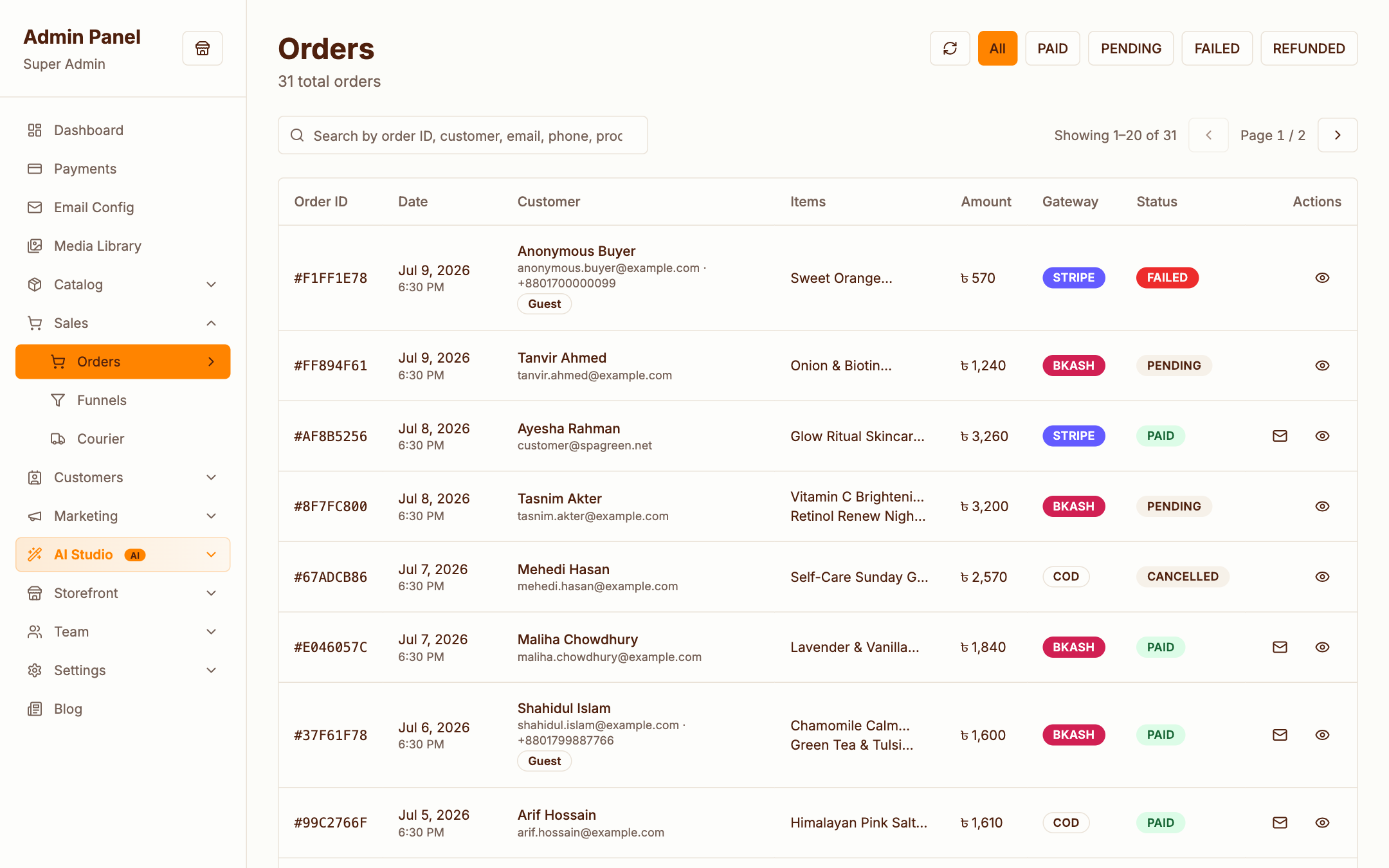
The orders list shows every order with its status, payment state and amount. Filter by status, search by order number or customer, and click through to the detail view.
Order detail
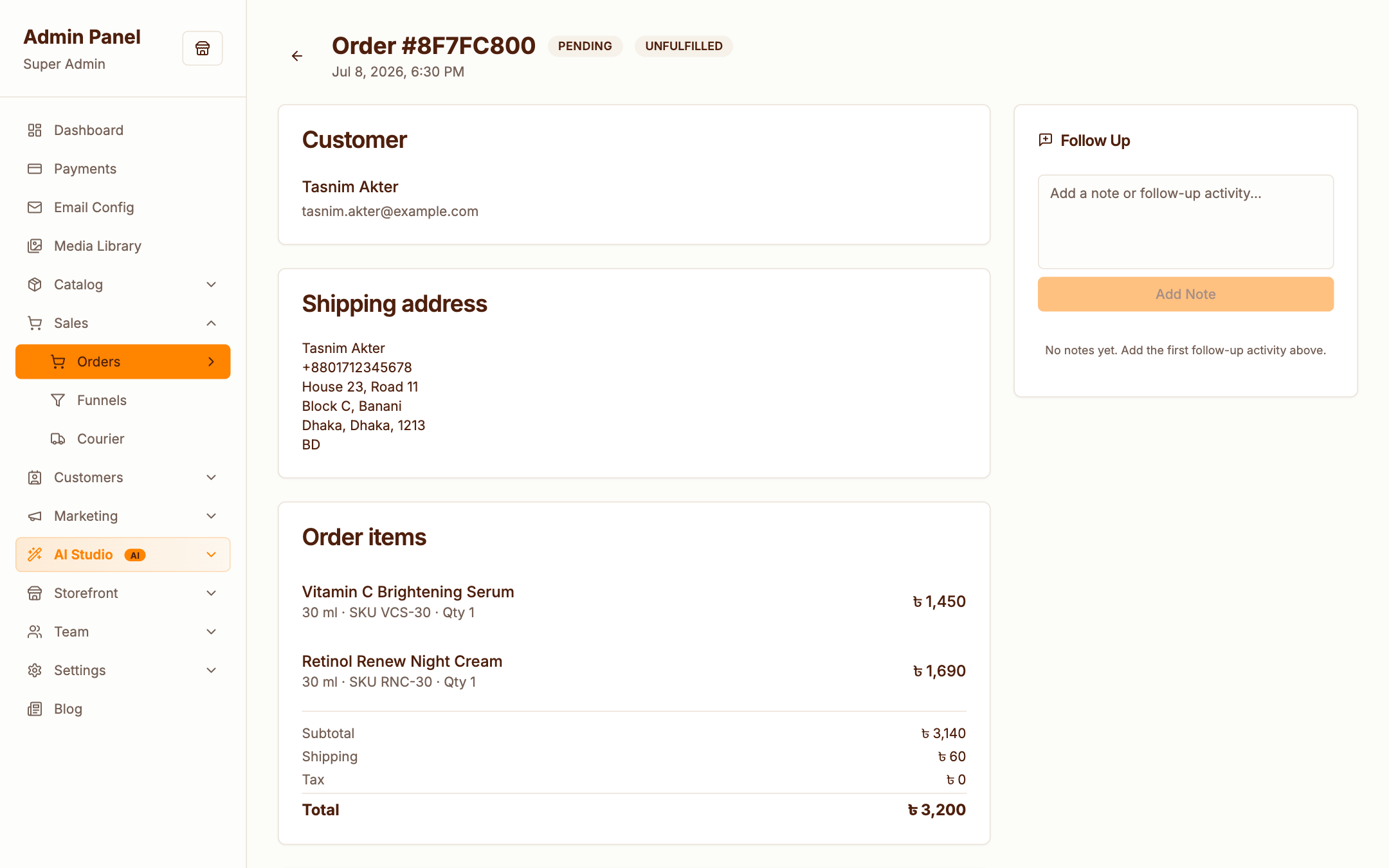
Everything about one order on a single page:
- Items — products, variants, quantities and line totals
- Customer — contact info and shipping address
- Payment — gateway, transaction reference, and actions: confirm a pending payment or issue a refund
- Fulfillment — mark as shipped, create a courier consignment, track delivery
- Notes — internal notes for your team
Order lifecycle
Pending → Paid → Shipped → Delivered
        ↘ Failed          ↘ Refunded
Status changes trigger the matching transactional emails automatically (configurable under Email Templates).
AI fraud scoring
With Claude configured, incoming orders can be scored for fraud risk — unusual patterns get flagged before you ship. See AI Features.
Courier integration (Steadfast)
Admin → Sales → Courier
StoreMine integrates with Steadfast, a Bangladesh courier service:
- Send orders as consignments with one click (or in bulk)
- Sync delivery status back automatically
- Check your courier account balance from the admin
Configure credentials under Settings → Courier. Not in Bangladesh? Simply ignore this section — orders can be marked shipped manually.
Abandoned checkout recovery
Checkouts that stall are recorded, and recovery reminder emails go out automatically via the queue. You'll find the templates under Email Templates.