
AI Features
StoreMine ships with two layers of AI — text intelligence powered by Claude, and an AI Studio for image & video generation. Both are strictly optional: without keys, the store works normally and AI sections show a friendly "not configured" state.
Bring your own keys
You create accounts with the AI providers you want, paste the keys into StoreMine, and pay the providers directly. No middleman, no markup.
Setting up
Admin → Settings → AI
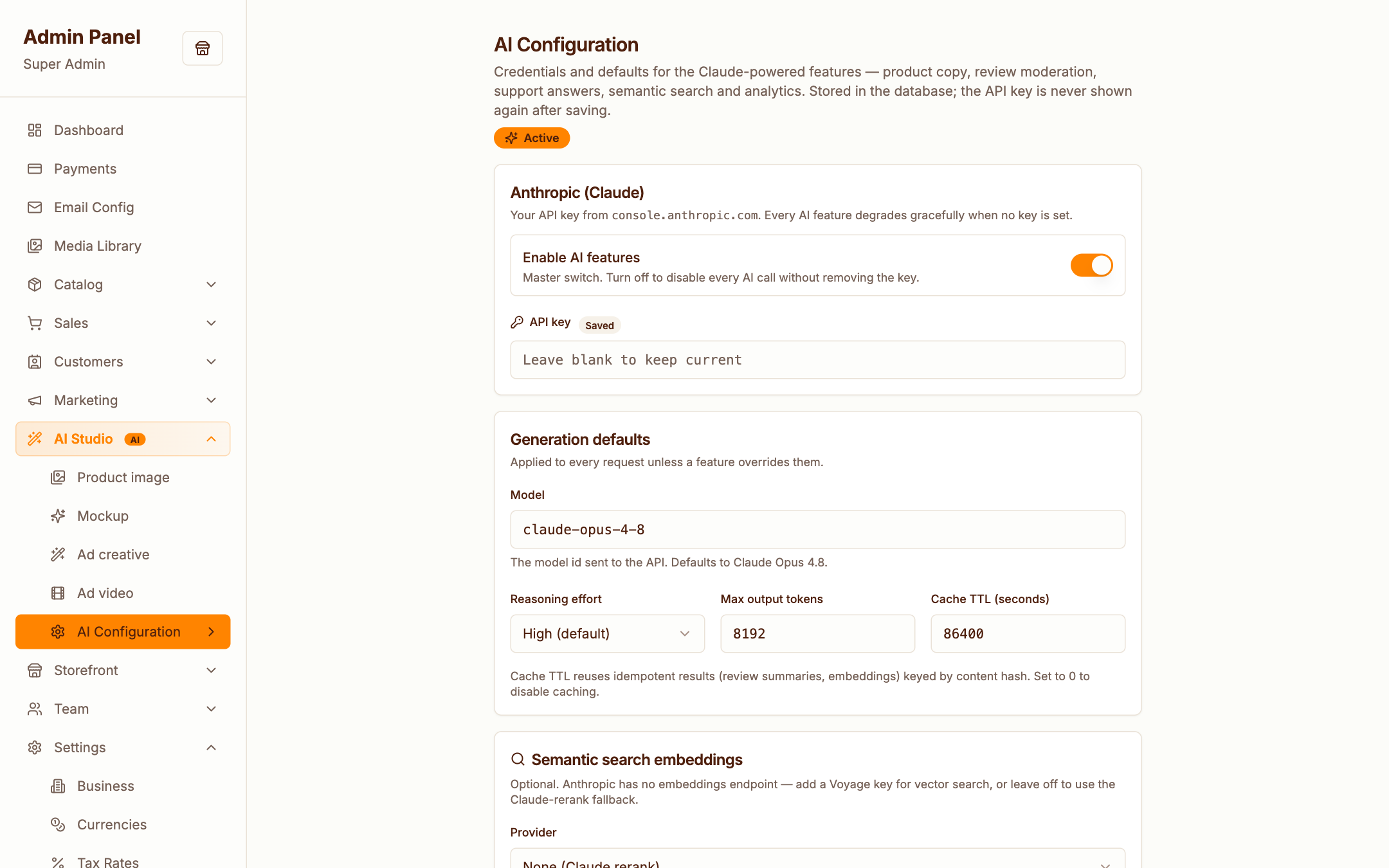
- Claude (Anthropic) — powers all text features below; add your
ANTHROPIC_API_KEYhere or in.env - Gemini / OpenAI / FAL / Replicate — power AI Studio image & video generation; add any subset
- Voyage — optional embeddings provider for semantic product search
What Claude does across the admin
| Feature | Where | What it does |
|---|---|---|
| Product copywriting | Product form | Drafts titles, descriptions, meta text — you review and edit |
| Review moderation | Reviews | Screens for spam/toxicity, summarises review threads |
| Support chatbot | Storefront | Answers customer questions grounded in their orders and your policy pages |
| Fraud scoring | Orders | Flags risky orders before you ship |
| Email copy | Campaigns & templates | Drafts campaign copy and subject-line variants |
| Funnel optimizer | Funnels | Generates step copy variants, ranks order-bump candidates |
| Merch insights | Dashboard/analytics | Natural-language answers about what's selling and why |
| Semantic search | Storefront search | Meaning-based product search (optionally with Voyage embeddings) |
Every generative feature is human-in-the-loop — AI drafts, you approve.
AI Studio
Admin → AI Studio
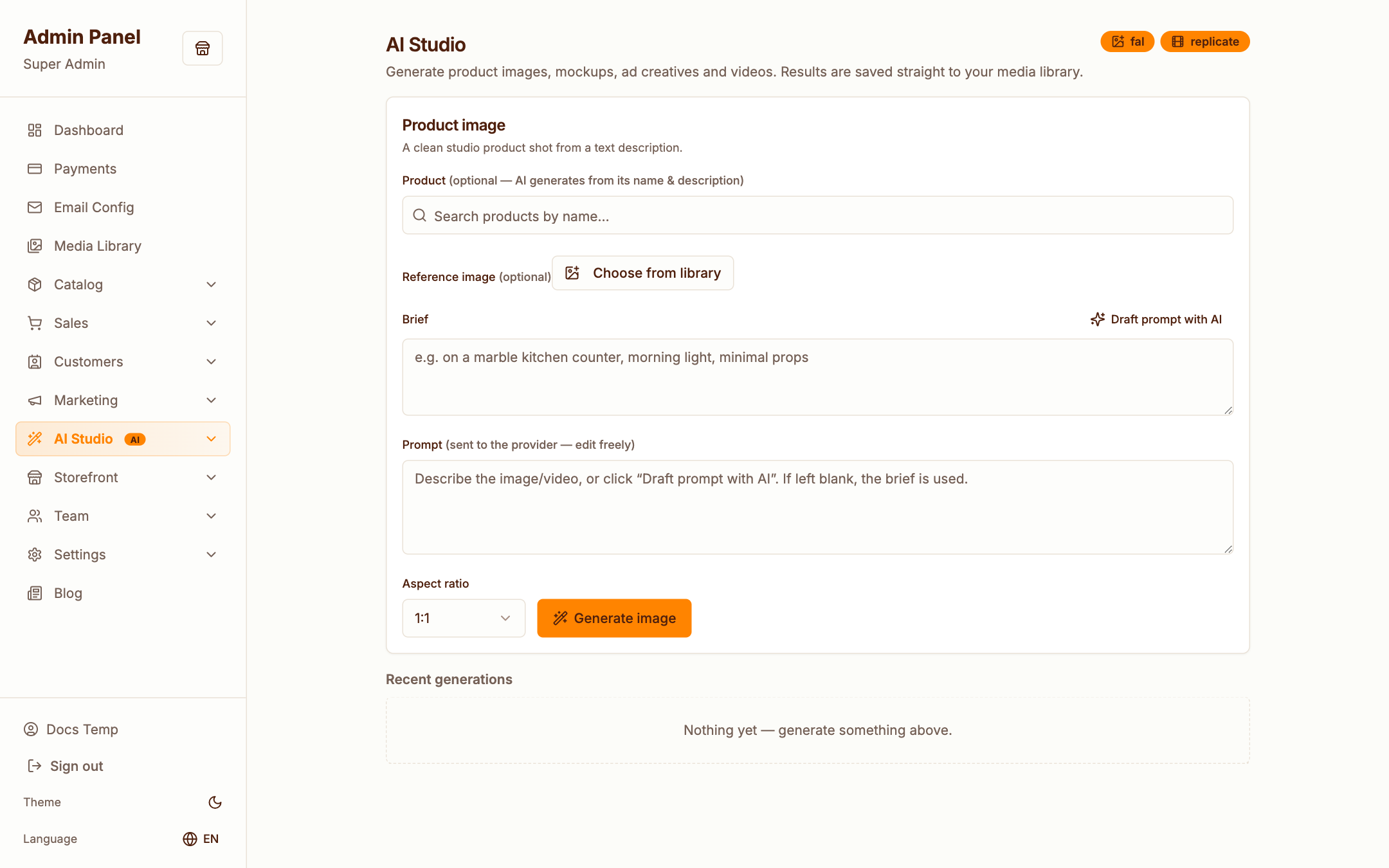
Generate product imagery and short videos from text prompts, right inside the admin:
- Images — via Gemini, OpenAI, FAL or Replicate (whichever keys you added)
- Videos — via FAL, Gemini or Replicate
- Generated assets land in your Media Library, ready to attach to products, hero slides or posts
Generation runs through the queue — keep the worker running for smooth results.
Cost control
- Text features use a configurable model and token cap (
AI_MODEL,AI_MAX_TOKENS,AI_EFFORTin.env) - Responses are cached (
AI_CACHE_TTL) so repeated actions don't re-bill - Remove a key at any time to switch that feature off instantly